 FOOTBALL
Football scoreboard & broadcast graphicsEvery goal, on cue.
The Cuelio playout client for live football on CasparCG. It keeps the match itself, score and scorers, clock, added time, cards and the shoot-out, so pressing Goal changes the score and every graphic on air follows.
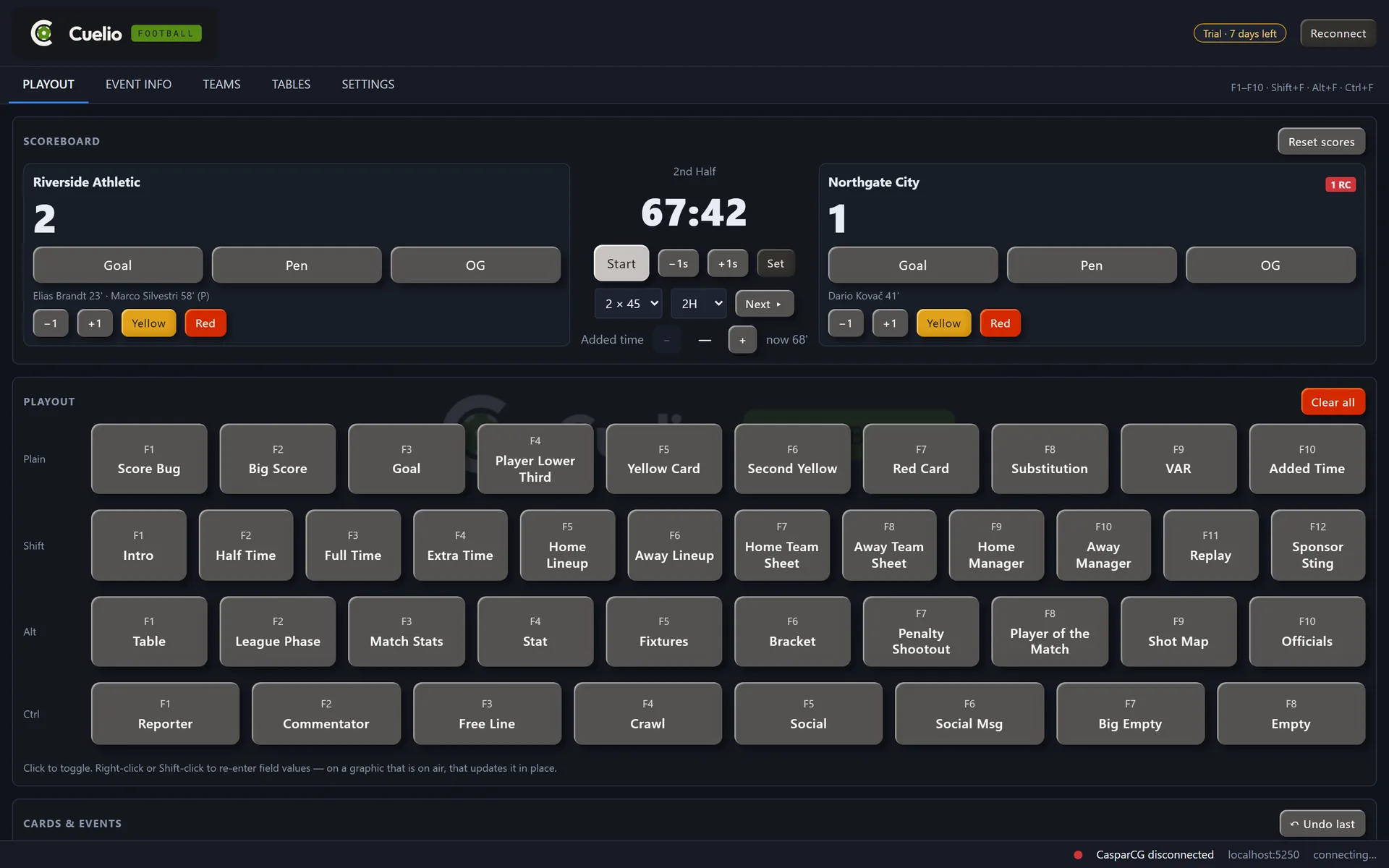
A goal in the 68th minute. One click.
This is the Cuelio Football scoreboard, midway through the second half. Score a goal, book a card or add time, or press Next until Penalties for the shoot-out, and watch the score bug follow, just as it does on air.
Thirty-nine graphics, four rows of F-keys.
Every graphic has its own key: F-keys on the top row, Shift, Alt and Ctrl below. Click a key to put it on air, and click again to take it off, just like in the app.
Short names, kits, score, clock and period. Red cards show as pips beside the club, and the added-time tab shows while the board is up.
Set it up once, before kick-off.
Teams, kits, officials and tables are filled in before the match. Everything saves as you leave a field, so during the game you only press buttons.
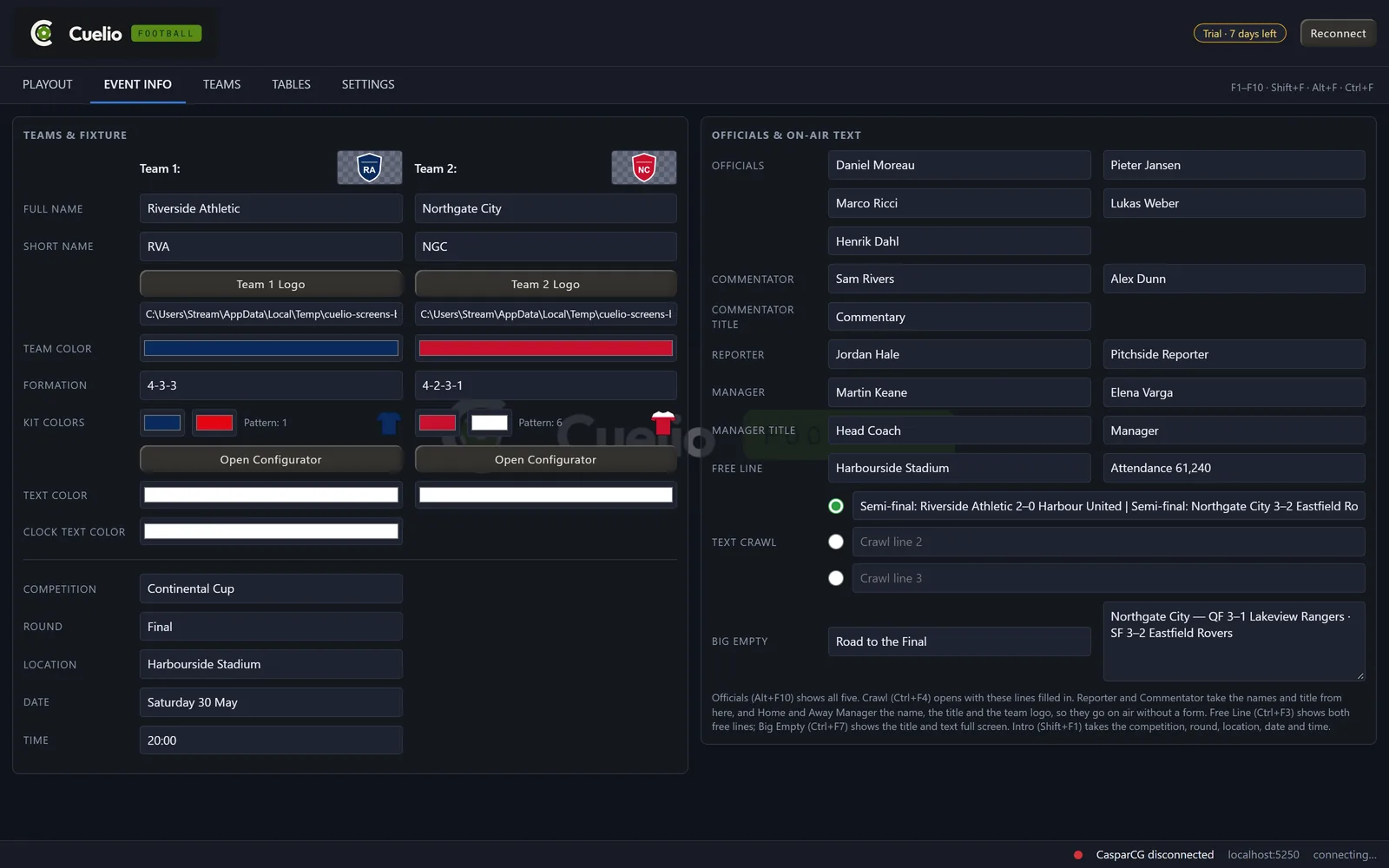
Teams and fixture
Names, crests, colours, kits and formations for both clubs, set once before kick-off. Every graphic picks them up.
- Score bug colours with finishes, and kits in nine patterns
- Formations from 4-3-3 to 5-4-1 for the Lineup graphics
- Officials, commentators, managers, free lines and crawl
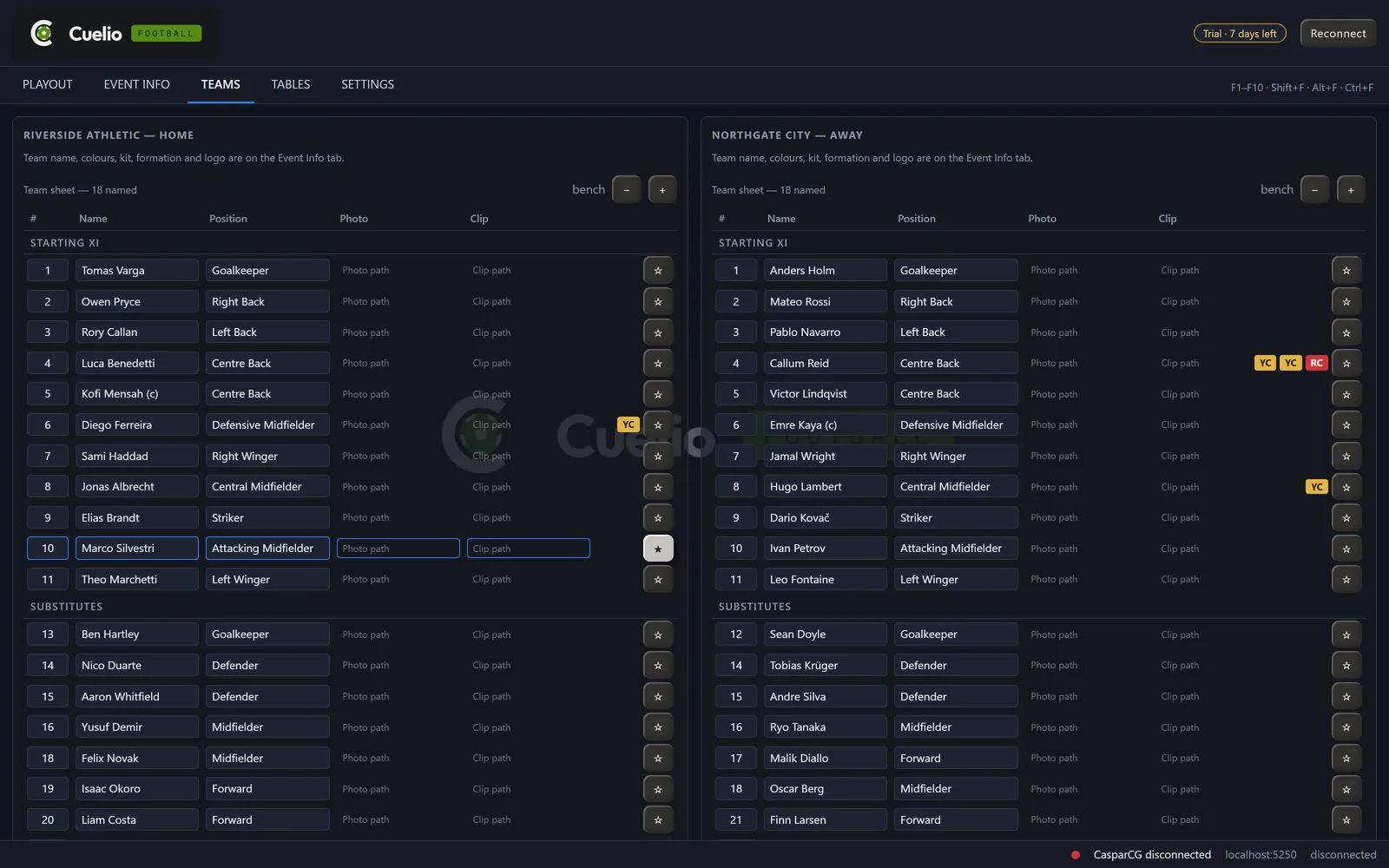
Team sheets
The starting XI and the substitutes for each club, with shirt numbers, positions, photos and clips.
- The star picks the player for the Player lower third
- Booked cards show as YC and RC on the player's row
- Plan substitution pairs, or import a roster CSV
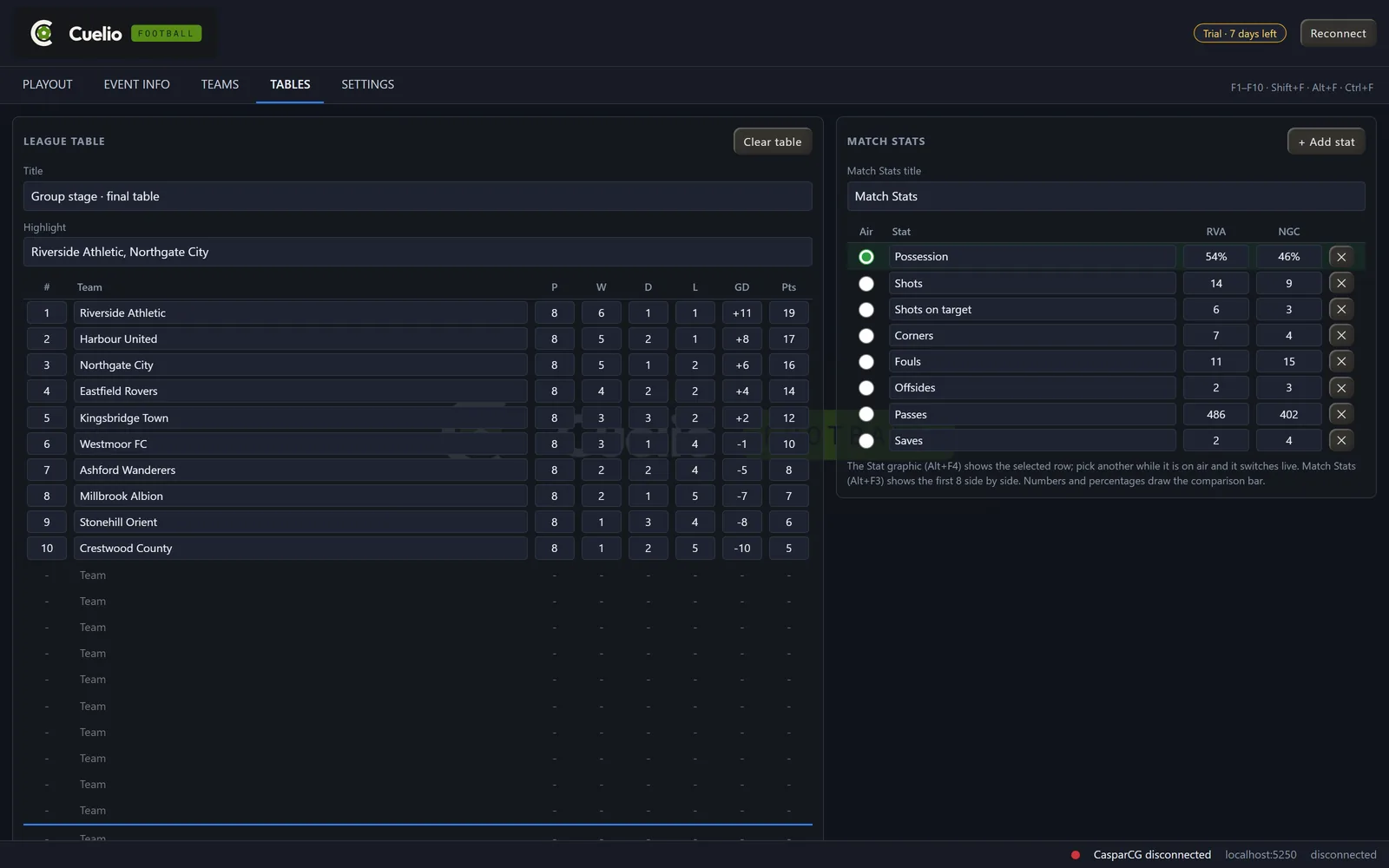
League table and match stats
Up to 36 teams with played, won, drawn, lost, goal difference and points, and up to eight match stats.
- Highlight picks out your clubs on the Table graphic
- Type it or import a CSV
- The radio button picks the stat the Stat graphic shows
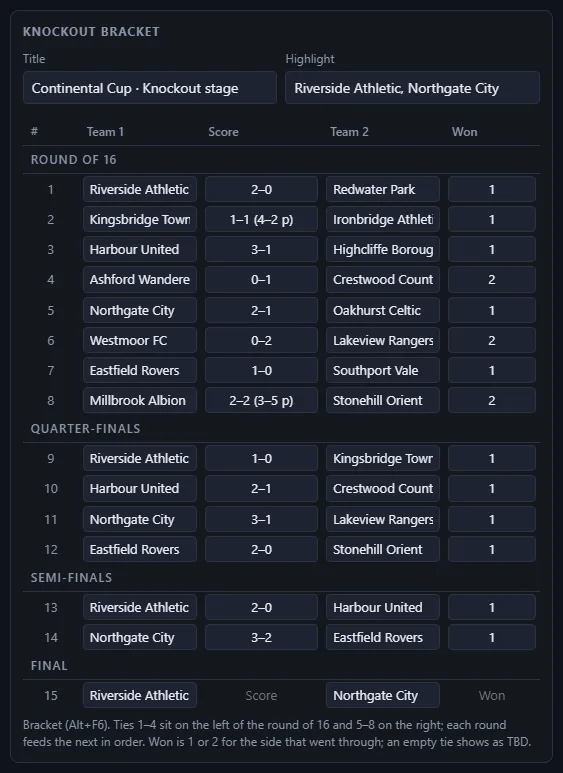
Knockout bracket
The fifteen ties from the round of 16 to the final, with the score and the side that went through.
- Penalty scores written as 1–1 (4–2 p)
- Each round feeds the next in order
- An empty tie shows as TBD on air
Template preview
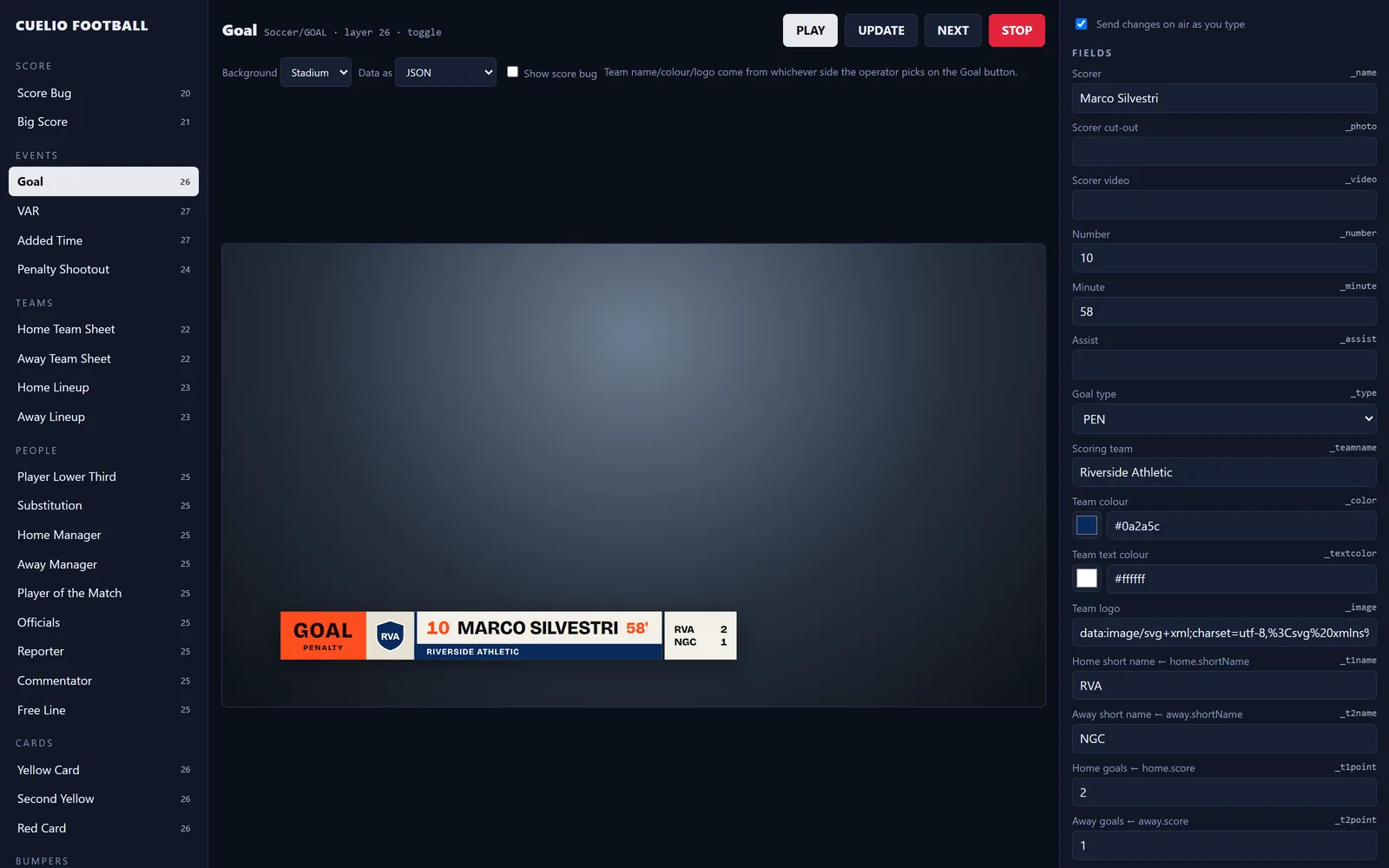
Open every graphic with sample data in a browser, without sending anything to CasparCG.
- Play, Update, Next and Stop on the preview stage
- Edit the fields and watch the graphic change
- Each graphic shows its template, layer and field IDs
Safety nets
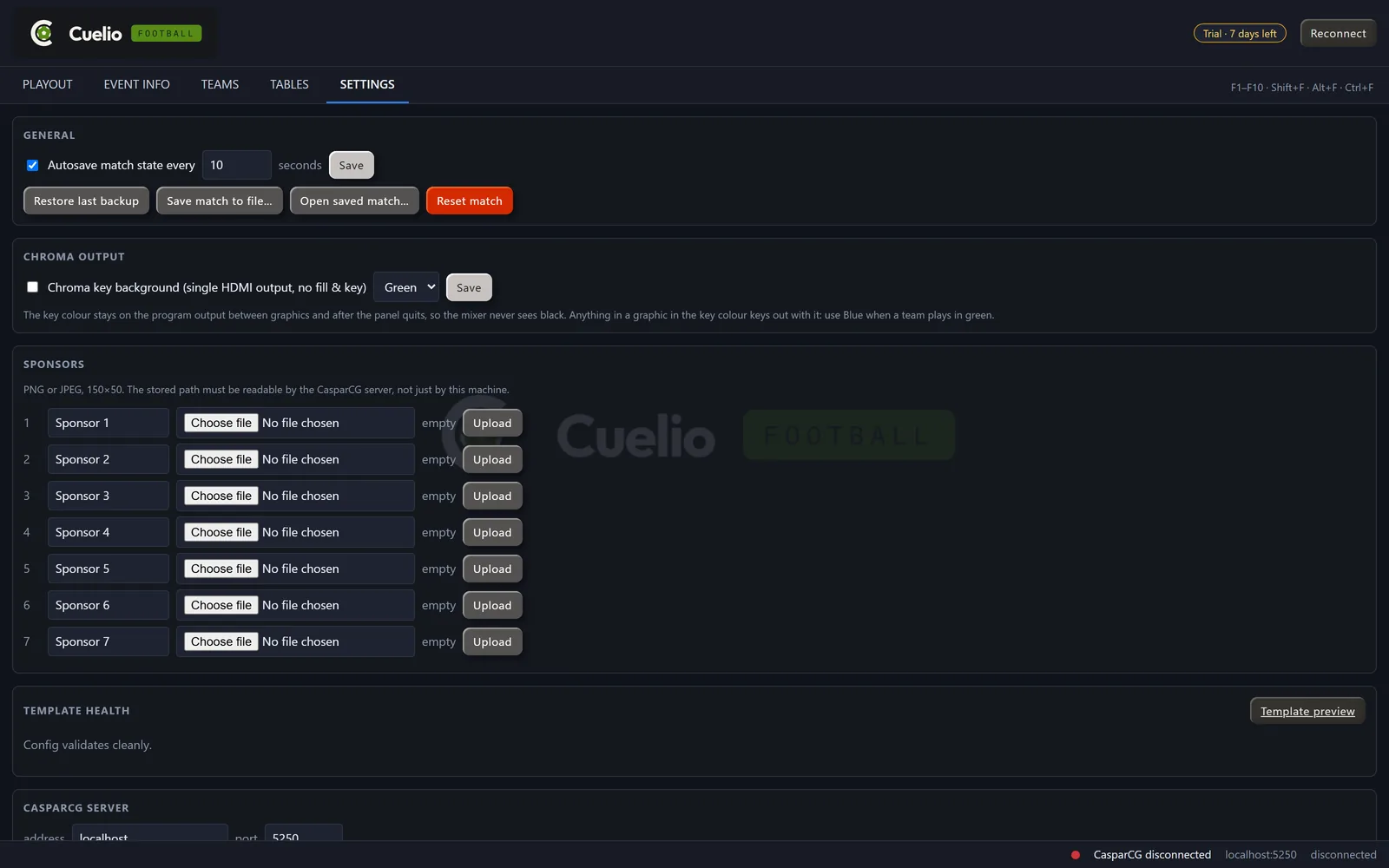
The settings that keep a live match on air when something goes wrong.
- Autosave, restore last backup, and save the match to a file
- Chroma output in green or blue for a single HDMI feed
- Template health and seven sponsor slots
Made for the way football is broadcast.
- 01
Goals, penalties and own goals
Goal, Pen and OG for each side. The minute fills in from the clock, the scorer from the team sheet, and the scorers line feeds Big Score and the bumpers.
- 02
A match clock that counts on
Start and stop with the Space bar. Pick 2 × 45, 40, 35 or 30, and the second half starts at 45:00 and extra time at 90:00.
- 03
Added time
Set the minutes the fourth official shows. The score bug grows a +3 tab, and goals in it go down as 45+2'.
- 04
Cards that book themselves
Pick a shirt number and the name fills in. Second yellows bring the red, and red cards show as pips on the score bug.
- 05
Penalty shoot-outs
Pick who kicks first, then Scored, Saved or Missed. The order, sudden death and the winner work themselves out, live on air.
- 06
Line-ups in formation
The starting XI on a pitch in its formation, from 4-3-3 to 5-4-1, with each player spotlit in turn.
- 07
Substitutions planned ahead
Line up numbered pairs before kick-off. Airing one marks it done and swaps the players on the sheet.
- 08
Tables, fixtures and brackets
A 36-team league phase, fixtures and results, and a knockout bracket from the round of 16 to the final.
- 09
Thirty-nine graphics on F-keys
Four rows: F-keys, Shift, Alt and Ctrl. Big graphics clear the small ones first, so two never stack up.
- 10
Undo and autosave
Undo last reverses a wrong goal or card. Autosave keeps the match, and the app offers it back after a crash.
- 11
One HDMI output
Chroma mode keeps a green or blue key colour on program, so a laptop with one HDMI port can feed the mixer.
- 12
A second screen in the browser
Any computer, tablet or phone on your LAN or Wi-Fi can open the panel in a browser and see every change as it happens.
Make it yours, feed it live, take it to air.
HTML Template Designer
Build the graphics, or start from a Marketplace pack.
Explore 02 · READScoreboard OCR
Read the clock and score straight off the venue board.
ExploreYour playout client
Take it to air from one rundown, in your sport edition.
You are hereAbout Cuelio Football.
What does Cuelio Football run on?
A CasparCG server, on the same computer or anywhere on your network. The graphics are HTML templates. CasparCG 2.5 can load them straight from the panel, or the installer can copy them into the server.
Does it handle extra time and penalties?
Yes. Press Next through Half Time, Full Time and both periods of extra time to Penalties. The shoot-out panel then keeps the order, the score and sudden death, and the Penalty Shootout graphic follows each kick.
Does it work for shorter matches?
Yes. Pick 2 × 45, 2 × 40, 2 × 35 or 2 × 30, and the clock and the minutes on goals and cards follow.
Can I play out from a laptop with one HDMI port?
Yes. Chroma mode keeps a solid key colour on the program output, and your vision mixer keys it out. Use green for most matches and blue when a team plays in green.
What happens if the computer crashes mid-match?
Autosave keeps the match every few seconds. When the app starts again it offers to restore it, and Restore last backup does the same on demand. You can also save the match to a file.
Can I play every graphic from the keyboard?
Yes. F-keys, Shift, Alt and Ctrl + F-keys fire the four rows of the playout grid. Space starts and stops the clock, and Clear all takes everything off air.
Can I change the graphics?
Yes. Every graphic is an HTML page with documented field IDs, so you can restyle it in HTML Template Designer or build your own.
How does licensing work?
Every install starts with a 7-day free trial with everything working. Each licence key works on two computers, and the app only needs the internet once, to activate.
What do I need to run it?
A computer running Cuelio Football, CasparCG (free and open source) and a vision mixer. How it works shows both ways to wire it: key and fill over SDI, or chroma key over one HDMI or SDI cable.
Pricing for Cuelio Football.
Licensed from three months to lifetime. Start with the free trial and pick a package when you are ready.
Licences run from £109 for 3 months to £1,799 for life, each on 2 computers, with a 7-day free trial.
Run your next football broadcast on Cuelio.
Install it and you get seven days with everything working, no key needed. Buy a licence any time and paste the key in to keep going.
- If Windows shows “Windows protected your PC”, choose More info, then Run anyway.
- Apple silicon is for a Mac with an M-series chip, Intel for an older Mac. Open the .dmg and drag the app into Applications. If macOS says it cannot check the app, Control-click it in Applications and choose Open.
- Make the AppImage executable (Properties › Allow executing, or chmod +x), then run it.