 NETBALL
Netball scoreboard & broadcast graphicsEvery centre pass, on cue.
The Cuelio playout client for live netball on CasparCG. It keeps the match itself, score and line score, every shooter's goals and attempts, the clock, the Super Shot window and the centre pass, so pressing +1 changes the score and every graphic on air follows.
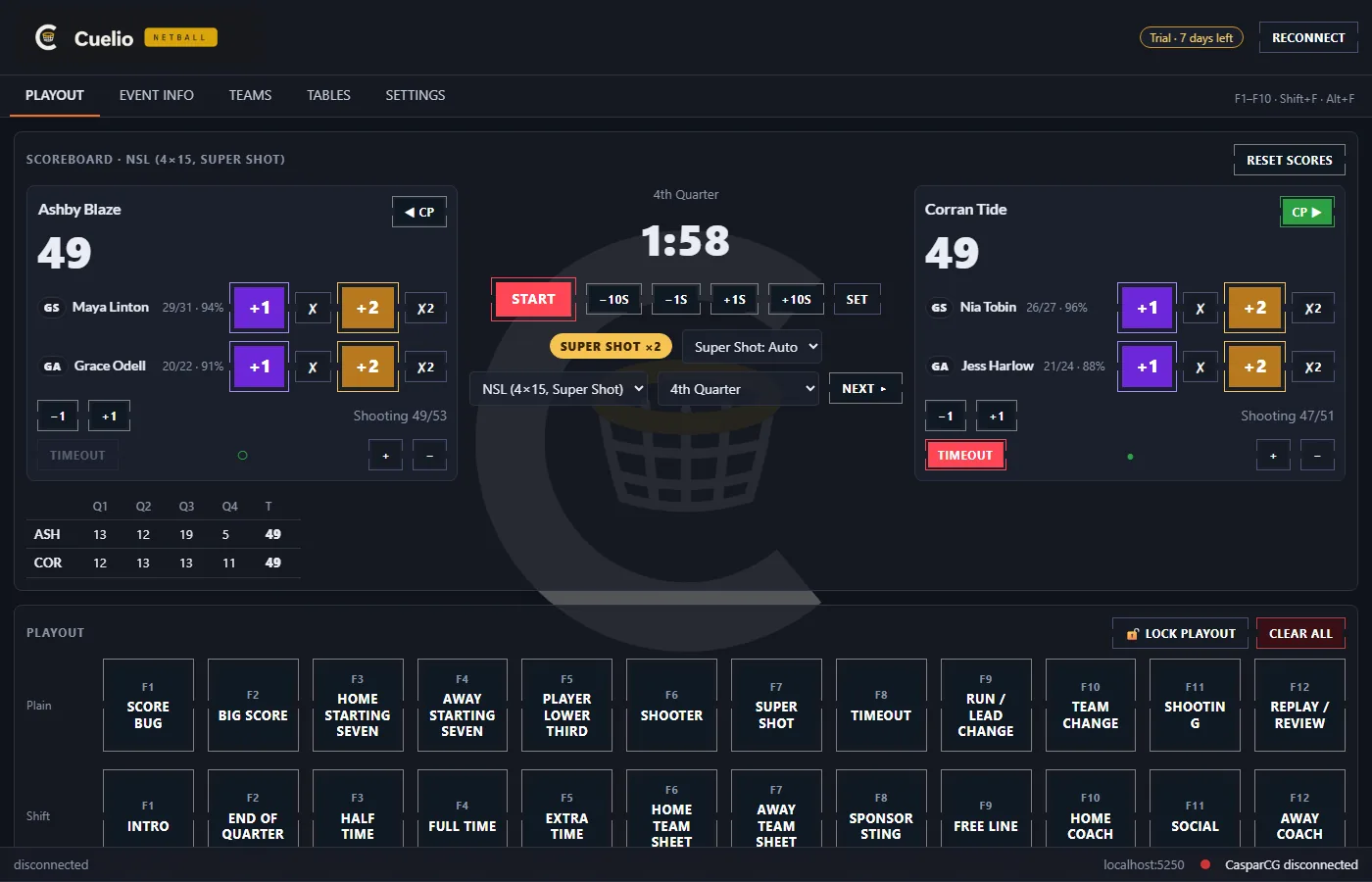
A Super Shot with two minutes left. One click.
This is the Cuelio Netball scoreboard, level at 49 all late in the fourth quarter with the Super Shot window open. Score for a shooter, log a miss, call a timeout or run the clock, and watch the score bug follow, just as it does on air.
| Team | Q1 | Q2 | Q3 | Q4 | ET | T |
|---|---|---|---|---|---|---|
| ASH | 0 | 0 | 0 | 0 | 0 | 0 |
| COR | 0 | 0 | 0 | 0 | 0 | 0 |
Thirty-four graphics, three rows of F-keys.
Every graphic has its own key: F-keys on the top row, Shift and Alt below. Click a key to put it on air, and click again to take it off, just like in the app.
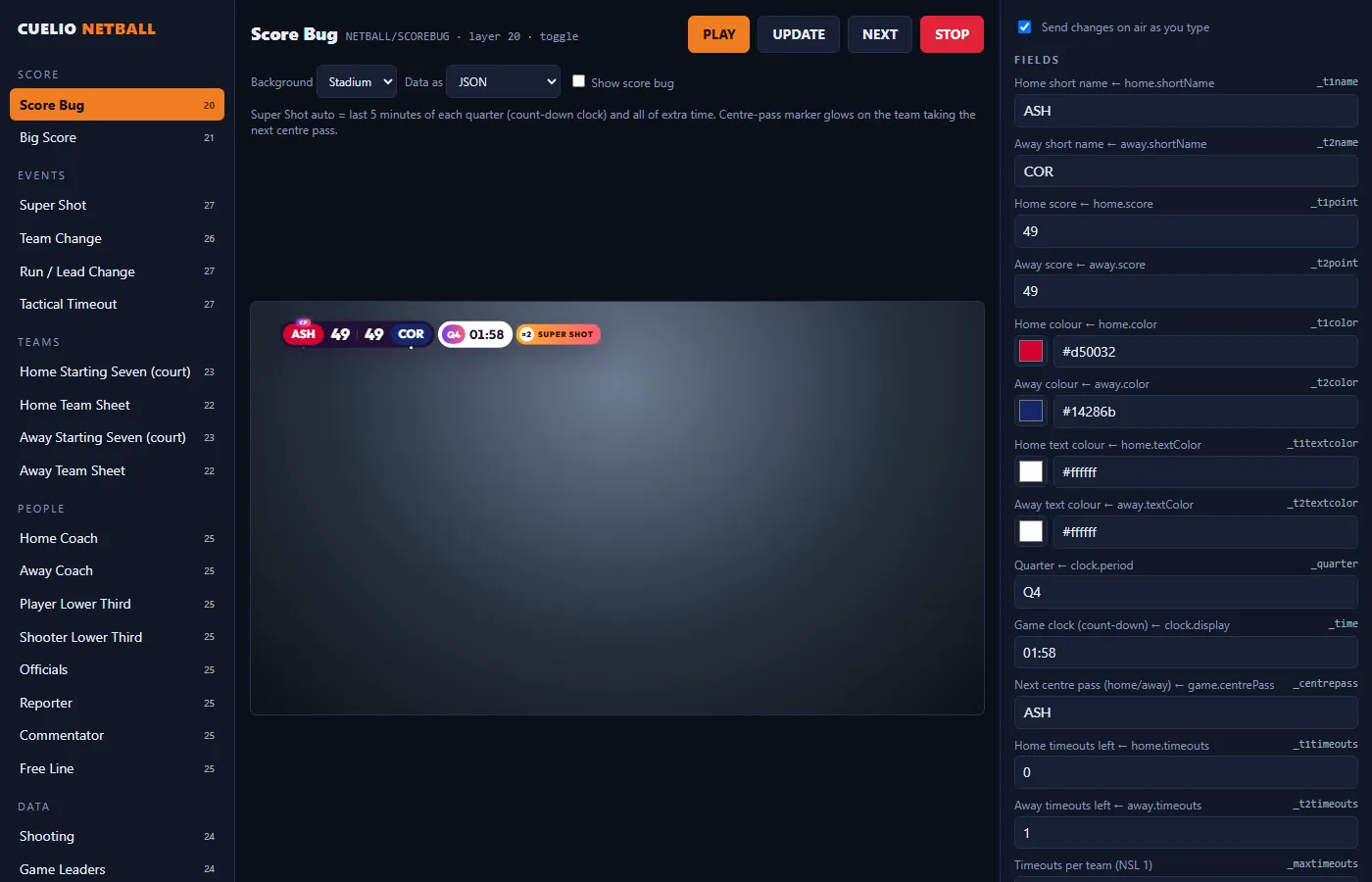
Short names, score, quarter and clock, with the centre-pass marker and timeout dots. The SUPER SHOT tab opens by itself for the last five minutes of each quarter.
Set it up once, before the first centre pass.
Teams, bibs and the ladder are filled in before the match. Everything saves as you leave a field, so during the game you only press buttons.
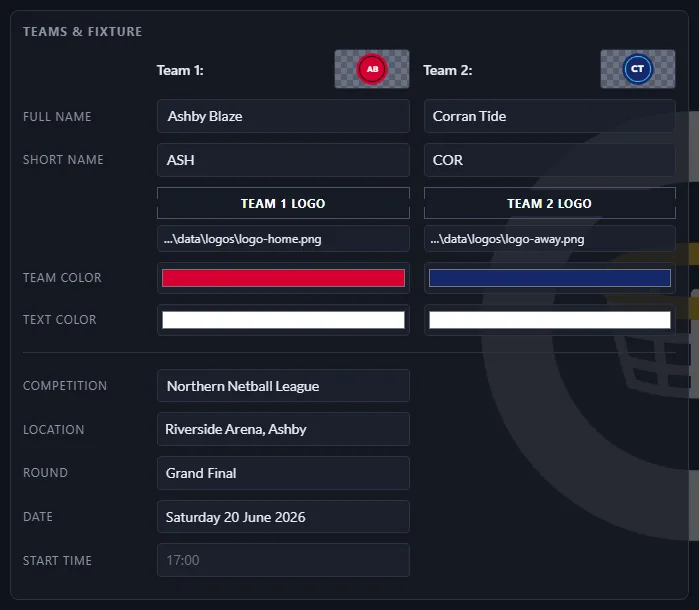
Teams and fixture
Names, short names, logos and colours for both teams, set once before the first centre pass. Every graphic picks them up.
- Three-letter short names for the score bug
- Team and text colours: the pack itself carries no club marks
- Competition, location, round, date and start time for the Intro
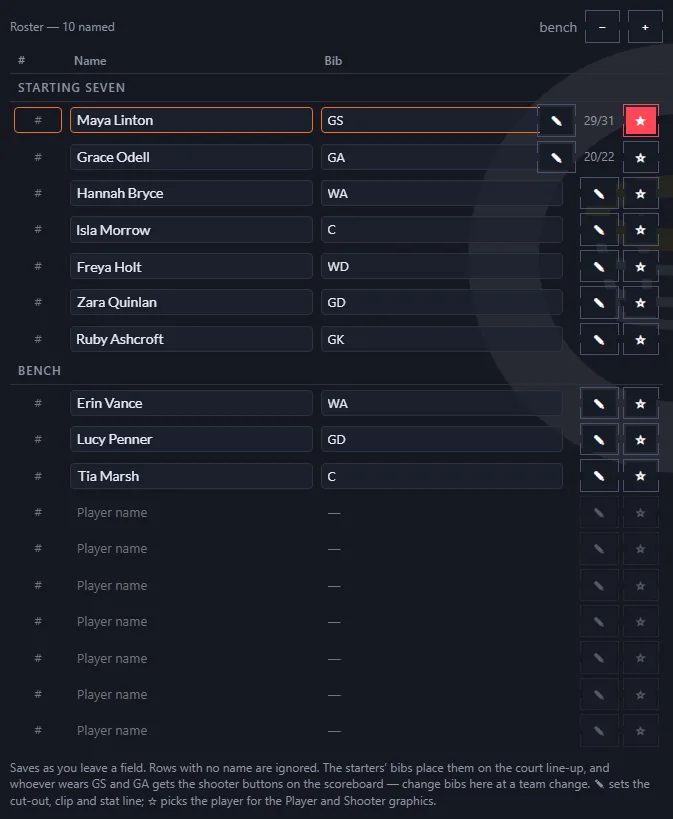
Team sheets by bib
The starting seven and the bench for each team, each player with a bib from GS to GK.
- Whoever wears GS and GA gets the shooter buttons
- The star picks the player for the Player and Shooter graphics
- Cut-outs, clips and stat lines, or import a roster CSV
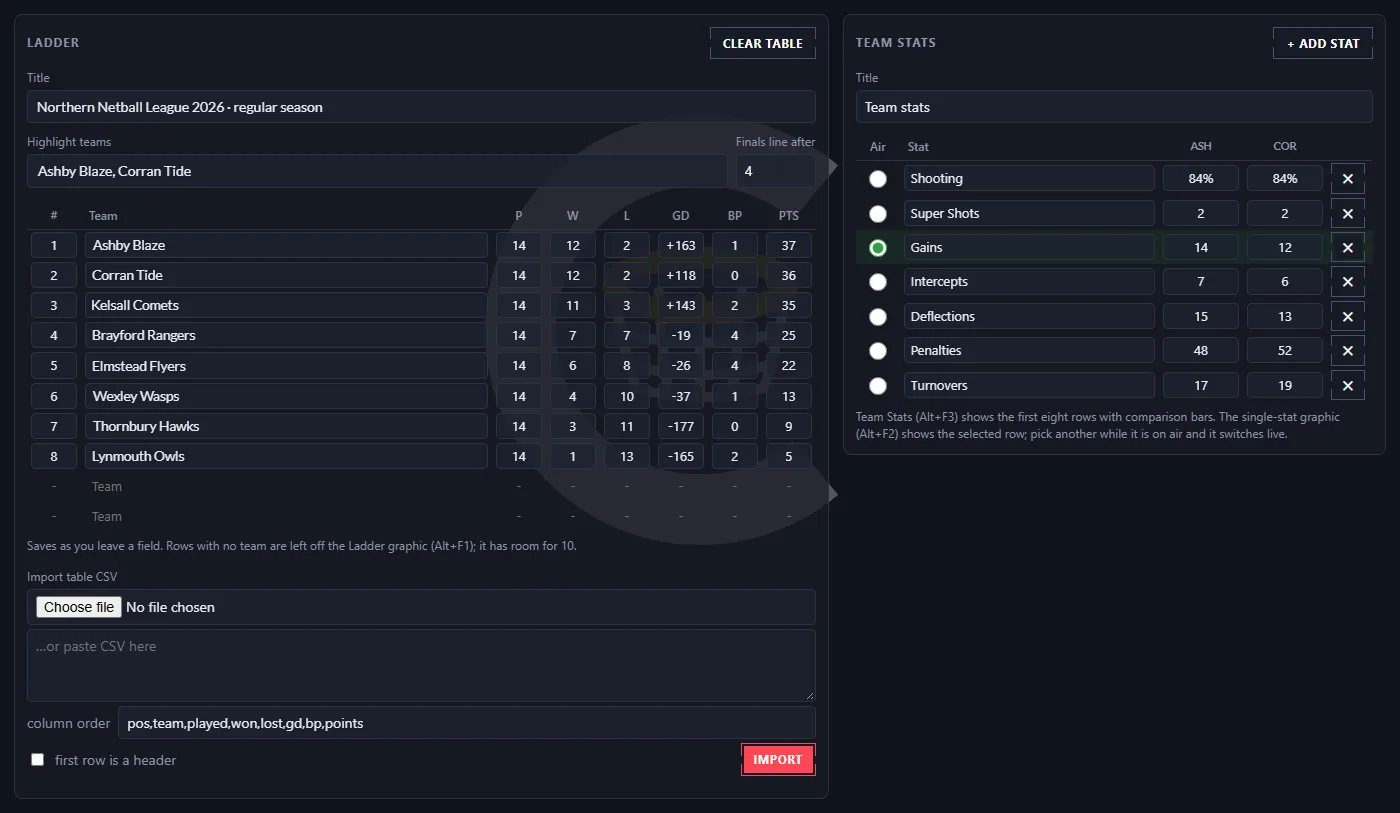
Ladder and team stats
Up to ten teams with played, won, lost, goal difference, bonus points and points, and the team stats for the match.
- Highlight picks out your teams, and the finals line falls after 4th
- Type it or import a CSV
- The radio button picks the stat the Stat graphic shows
Template preview
Open every graphic with sample data in a browser, without sending anything to CasparCG.
- Play, Update, Next and Stop on the preview stage
- Edit the fields and watch the graphic change
- Each graphic shows its template, layer and field IDs
Safety nets
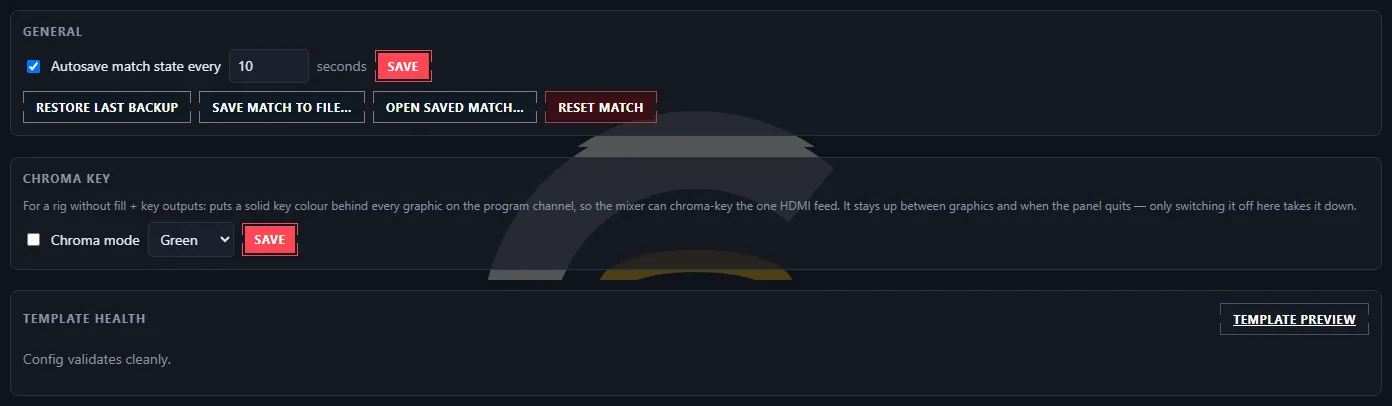
The settings that keep a live match on air when something goes wrong.
- Autosave, restore last backup, and save the match to a file
- Chroma mode in green, blue or a custom colour for one HDMI feed
- Template health checks the configuration
Made for the way netball is broadcast.
- 01
Shooting, shooter by shooter
Each team has buttons for whoever wears GS and GA. +1 scores, the cross logs a miss, and every goal and attempt lands on that shooter's line.
- 02
Super Shots and the window
Under NSL rules +2 lights for the last five minutes of each quarter and all of extra time, and the score bug opens its SUPER SHOT tab at the same moment.
- 03
A centre pass that swaps itself
The marker moves across after every goal, and each quarter starts with the team that did not take the last quarter's first centre pass.
- 04
A game clock that counts down
Start and stop with the Space bar. It stops at the buzzer, and −10s, −1s, +1s, +10s and Set keep it in step with the venue.
- 05
NSL and World Netball rules
Pick the rule set, and the Super Shot, the tactical timeout and the length of extra time follow it.
- 06
Line score by quarter
Goals land in the column for the quarter being played, and the Big Score and the bumpers show it.
- 07
Starting seven on a court
Each player stands in their area by bib, then Next spotlights them in turn with their clip or cut-out, or Auto spotlight steps through.
- 08
Team changes, runs and leaders
Team Change takes the quarter and time from the clock, Run / Lead Change fills in from the scoring log, and Game Leaders works itself out.
- 09
Thirty-four graphics on F-keys
Three rows: F-keys, Shift and Alt. Big graphics clear the small ones first, so two never stack up.
- 10
Undo and autosave
Undo last reverses a wrong goal, miss or timeout, and puts the centre pass back too. Autosave keeps the match, and the app offers it back after a crash.
- 11
One HDMI output
Chroma mode keeps a green, blue or custom key colour on program, so a laptop with one HDMI port can feed the mixer.
- 12
A second screen in the browser
Any computer, tablet or phone on your LAN or Wi-Fi can open the panel to score and run the clock. Lock playout keeps the buttons on the main screen.
Make it yours, feed it live, take it to air.
HTML Template Designer
Build the graphics, or start from a Marketplace pack.
Explore 02 · READScoreboard OCR
Read the clock and score straight off the venue board.
ExploreYour playout client
Take it to air from one rundown, in your sport edition.
You are hereAbout Cuelio Netball.
What does Cuelio Netball run on?
A CasparCG server, on the same computer or anywhere on your network. The graphics are HTML templates. CasparCG 2.5 can load them straight from the panel, or you can copy them into the server.
Does it handle Super Shots?
Yes. Under NSL rules the +2 buttons light for the last five minutes of each quarter and all of extra time, worked out from the clock. Super Shot: On or Off takes over when the venue clock and this one disagree.
Can I use World Netball rules?
Yes. Pick World Netball on the scoreboard: there is no Super Shot and no tactical timeout, and extra time is two halves of seven minutes.
What if the shooter buttons show the wrong players?
They follow whoever wears GS and GA on the Teams tab. Change the bibs there at a team change, and the buttons follow.
Can I play out from a laptop with one HDMI port?
Yes. Chroma mode keeps a solid key colour on the program output, and your vision mixer keys it out. Use green, blue, or a custom colour neither team wears.
What happens if the computer crashes mid-match?
Autosave keeps the match every few seconds. When the app starts again it offers to restore it, and Restore last backup does the same on demand. You can also save the match to a file, with logos, cut-outs and clips packed inside.
Can I play every graphic from the keyboard?
Yes. F-keys, Shift + F-keys and Alt + F-keys fire the three rows of the playout grid. Space starts and stops the game clock, and Clear all takes everything off air. In the desktop app F11 toggles full screen, so the F11 buttons are clicked.
How does licensing work?
Every install starts with a 7-day free trial with everything working. Each licence key works on two computers, and the app only needs the internet once, to activate.
What do I need to run it?
A computer running Cuelio Netball, CasparCG (free and open source) and a vision mixer. How it works shows both ways to wire it: key and fill over SDI, or chroma key over one HDMI or SDI cable.
Pricing for Cuelio Netball.
Licensed from three months to lifetime. Start with the free trial and pick a package when you are ready.
Licences run from £109 for 3 months to £1,799 for life, each on 2 computers, with a 7-day free trial.
Run your next netball broadcast on Cuelio.
Install it and you get seven days with everything working, no key needed. Buy a licence any time and paste the key in to keep going.
- If Windows shows “Windows protected your PC”, choose More info, then Run anyway.
- Apple silicon is for a Mac with an M-series chip, Intel for an older Mac. Open the .dmg and drag the app into Applications. If macOS says it cannot check the app, Control-click it in Applications and choose Open.
- Make the AppImage executable (Properties › Allow executing, or chmod +x), then run it.